
Creating a Unified Apache Beam Pipeline for Batch and Stream Processing

Introduction
This guide will walk you through building a unified Apache Beam pipeline capable of handling both batch and stream processing using the DirectRunner. You’ll learn how to generate synthetic event-time data, apply fixed windowing techniques, and manage late events effectively. This approach allows us to observe how Apache Beam handles different event timings consistently.
Setting Up Your Environment

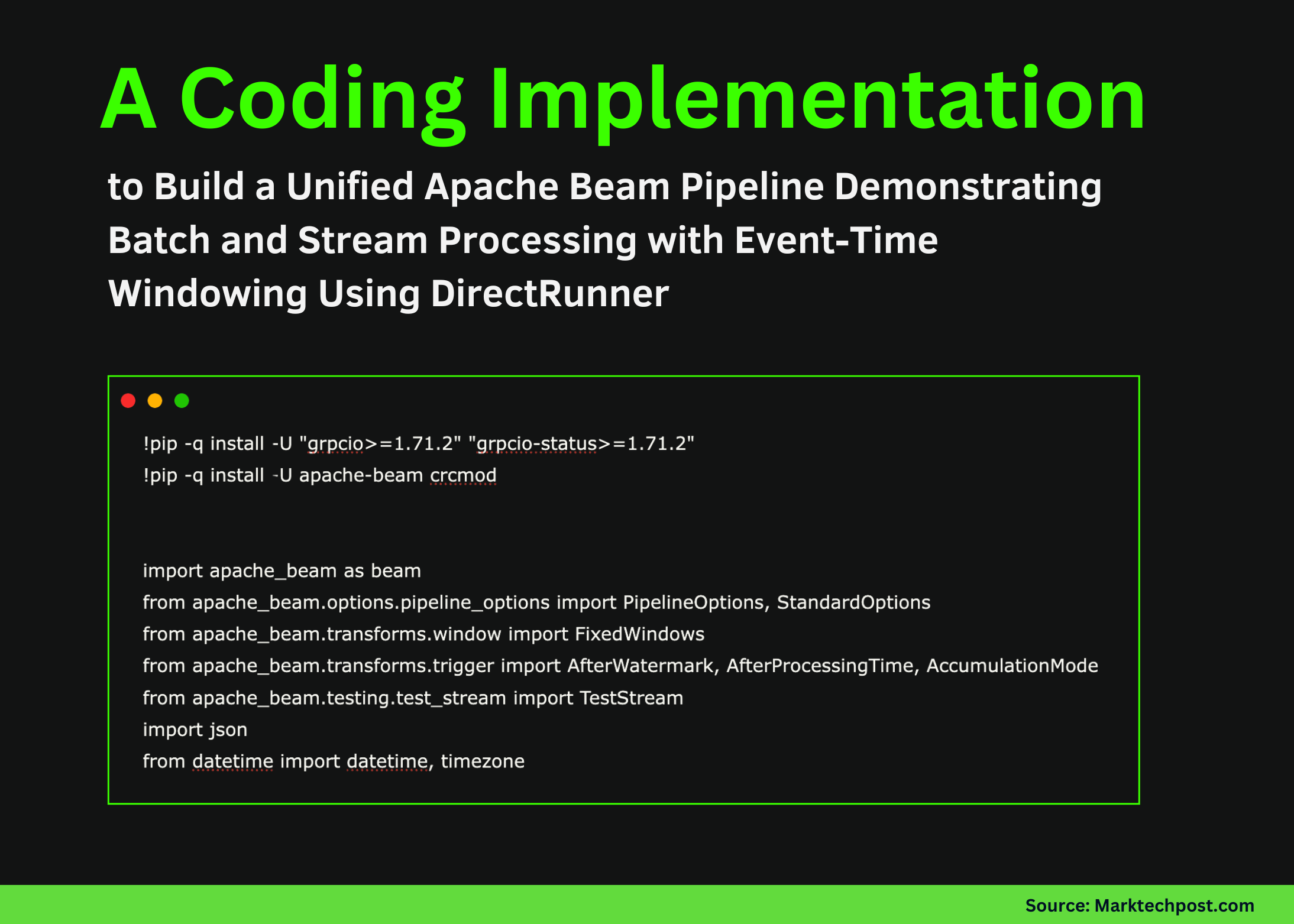
Before diving into the code, you’ll need the right setup. Make sure to install the necessary dependencies for Apache Beam along with the required library versions. Here’s how to do it:
!pip install -U grpcio>=1.71.2 grpcio-status>=1.71.2
!pip install -U apache-beam crcmod
Importing Required Libraries
Next, import the key libraries. These include the Apache Beam core APIs, windowing and trigger utilities, and time handling methods from Python’s standard libraries:
import apache_beam as beam
from apache_beam.options.pipeline_options import PipelineOptions, StandardOptions
from apache_beam.transforms.window import FixedWindows
from apache_beam.transforms.trigger import AfterWatermark, AfterProcessingTime, AccumulationMode
import json
from datetime import datetime, timezone
Configuring Global Settings
To effectively manage your pipeline, you’ll want to define some global configurations. This includes setting the execution mode, window size, and allowed lateness: (CoinDesk)
MODE = "stream"
WINDOW_SIZE_SECS = 60
ALLOWED_LATENESS_SECS = 120
Creating Synthetic Event Data
Let’s create some synthetic events with timestamps. This way, we can observe how Beam’s windowing behaves with both late and on-time data: You might also enjoy our guide on Litecoin Price Outlook: Expert Predictions for LTC’s Future.
def make_event(user_id, event_type, amount, event_time_epoch_s):
   return {"user_id": user_id, "event_type": event_type, "amount": float(amount), "event_time": int(event_time_epoch_s)}

base = datetime.now(timezone.utc).replace(microsecond=0)
t0 = int(base.timestamp())
BATCH_EVENTS = [
   make_event("u1", "purchase", 20, t0 + 5),
   make_event("u1", "purchase", 15, t0 + 20),
   make_event("u2", "purchase", 8, t0 + 35),
   make_event("u1", "refund", -5, t0 + 62),
   make_event("u2", "purchase", 12, t0 + 70),
   make_event("u3", "purchase", 9, t0 + 75),
   make_event("u2", "purchase", 3, t0 + 50),
]
Implementing Windowed Aggregation
Now, let’s build a reusable Beam PTransform that encapsulates the logic for handling windowed aggregations. This means grouping events by user and calculating counts and sums:
def format_joined_record(kv):
   user_id, d = kv
   return {
       "user_id": user_id,
       "count": int(d["count"][0]) if d["count"] else 0,
       "sum_amount": float(d["sum_amount"][0]) if d["sum_amount"] else 0.0,
   }

class WindowedUserAgg(beam.PTransform):
   def expand(self, pcoll):
       stamped = pcoll | beam.Map(lambda e: beam.window.TimestampedValue(e, e["event_time"]))
       windowed = stamped | beam.WindowInto(
           FixedWindows(WINDOW_SIZE_SECS),
           allowed_lateness=ALLOWED_LATENESS_SECS,
           trigger=AfterWatermark(
               early=AfterProcessingTime(10),
               late=AfterProcessingTime(10),
           ),
           accumulation_mode=AccumulationMode.ACCUMULATING,
       )
       keyed = windowed | beam.Map(lambda e: (e["user_id"], e["amount"]))
       counts = keyed | beam.combiners.Count.PerKey()
       sums = keyed | beam.CombinePerKey(sum)
       return (
           {"count": counts, "sum_amount": sums}
           | beam.CoGroupByKey()
           | beam.Map(format_joined_record)
       )
Adding Window Metadata
To enhance our records, we can enrich them with window and pane metadata. This is incredibly useful for tracking when and why results are generated:
class AddWindowInfo(beam.DoFn):
   def process(self, element, window=beam.DoFn.WindowParam, pane_info=beam.DoFn.PaneInfoParam):
       ws = float(window.start)
       we = float(window.end)
       yield {
           **element,
           "window_start_utc": datetime.fromtimestamp(ws, tz=timezone.utc).strftime("%H:%M:%S"),
           "window_end_utc": datetime.fromtimestamp(we, tz=timezone.utc).strftime("%H:%M:%S"),
           "pane_timing": str(pane_info.timing),
           "pane_is_first": pane_info.is_first,
           "pane_is_last": pane_info.is_last,
       }
Creating a Test Stream
Now, let’s create a TestStream that simulates real streaming behavior with proper timing and event management:
def build_test_stream():
   return (
       TestStream()
       .advance_watermark_to(t0)
       .add_elements([
           beam.window.TimestampedValue(make_event("u1", "purchase", 20, t0 + 5), t0 + 5),
           beam.window.TimestampedValue(make_event("u1", "purchase", 15, t0 + 20), t0 + 20),
           beam.window.TimestampedValue(make_event("u2", "purchase", 8, t0 + 35), t0 + 35),
       ])
       .advance_processing_time(5)
       .advance_watermark_to(t0 + 61)
       .add_elements([
           beam.window.TimestampedValue(make_event("u1", "refund", -5, t0 + 62), t0 + 62),
           beam.window.TimestampedValue(make_event("u2", "purchase", 12, t0 + 70), t0 + 70),
           beam.window.TimestampedValue(make_event("u3", "purchase", 9, t0 + 75), t0 + 75),
       ])
       .advance_processing_time(5)
       .add_elements([
           beam.window.TimestampedValue(make_event("u2", "purchase", 3, t0 + 50), t0 + 50),
       ])
       .advance_watermark_to(t0 + 121)
       .advance_watermark_to_infinity()
   )
Running the Pipeline
Finally, let’s unify everything into a single pipeline that can handle both batch and streaming modes. It’s as simple as toggling a flag! (Bitcoin.org)
def run_batch():
   with beam.Pipeline(options=PipelineOptions([])) as p:
       (
           p
           | beam.Create(BATCH_EVENTS)
           | WindowedUserAgg()
           | beam.ParDo(AddWindowInfo())
           | beam.Map(json.dumps)
           | beam.Map(print)
       )

def run_stream():
   opts = PipelineOptions([])
   opts.view_as(StandardOptions).streaming = True
   with beam.Pipeline(options=opts) as p:
       (
           p
           | build_test_stream()
           | WindowedUserAgg()
           | beam.ParDo(AddWindowInfo())
           | beam.Map(json.dumps)
           | beam.Map(print)
       )

run_stream() if MODE == "stream" else run_batch()
Conclusion
In summary, this tutorial has illustrated how to construct an Apache Beam pipeline that adeptly manages both batch and streaming data, all while maintaining the same structural logic for windowing and aggregation. We’ve also examined how watermarks, triggers, and accumulation modes affect event processing, offering a solid foundation for scaling this approach to real-world streaming scenarios. For more tips, check out Market Dynamics: Bitcoin and Altcoin Price Trends Under Pres.

FAQs
1. what’s Apache Beam?
Apache Beam is an open-source unified model for defining both batch and streaming data processing workflows.
2. How does windowing work in Apache Beam?
Windowing allows you to group events that occur within a specific time frame, enabling more efficient processing of data streams.
3. What are watermarks in streaming data?
Watermarks are markers that track the progress of event time, helping to manage late data in streaming pipelines.
4. Why use event time over processing time?
Event time reflects when an event actually occurred, making it more reliable for time-sensitive applications compared to processing time.
5. Can I adapt this pipeline for production use?
Absolutely! This pipeline serves as a solid foundation, and you can extend it for various use cases in production environments.
You Might Also Like


