
Building an Advanced Multi-Agent System with AgentScope and OpenAI

Introduction to Advanced Incident Response Systems
In this guide, we’ll take you through the process of creating a sophisticated multi-agent incident response system using AgentScope. By tapping into OpenAI models, we’ll show you how to develop a thorough workflow that can handle various tasks like routing, triage, analysis, documentation, and review—all orchestrated within a unified framework.
Setting Up Your Environment

Before diving into the code, we need to set up our execution environment. Make sure you’ve installed the necessary libraries:
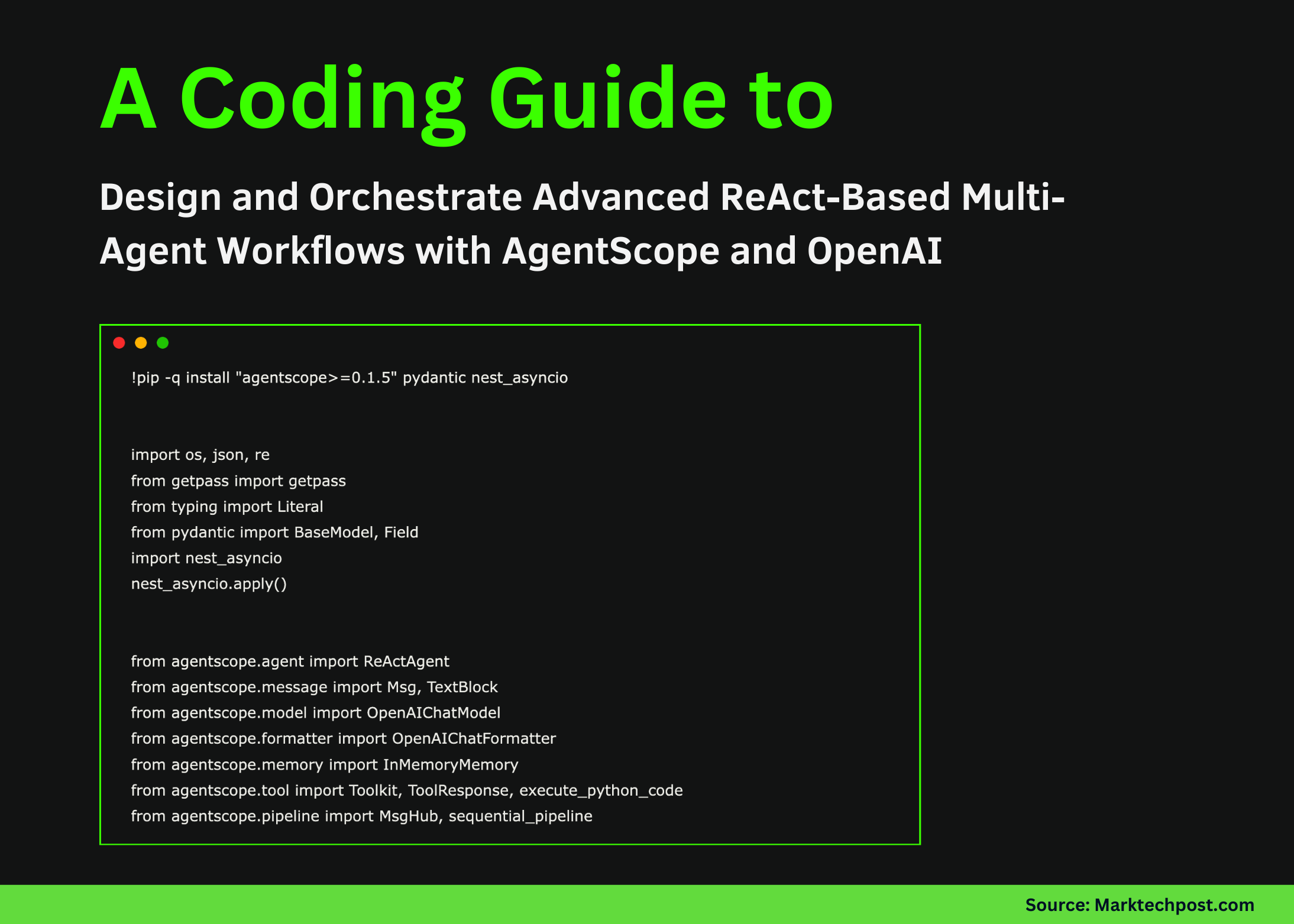
!pip install agentscope >=0.1.5 pydantic nest_asyncioNow, let’s import the required modules:
import os
import json
import re
from getpass import getpass
from typing import Literal
from pydantic import BaseModel, Field
import nest_asyncio
nest_asyncio.apply()
from agentscope.agent import ReActAgent
from agentscope.message import Msg, TextBlock
from agentscope.model import OpenAIChatModel
from agentscope.formatter import OpenAIChatFormatter
from agentscope.memory import InMemoryMemory
from agentscope.tool import Toolkit, ToolResponse, execute_python_code
from agentscope.pipeline import MsgHub, sequential_pipeline
Loading Your OpenAI API Key
We’re going to securely load your OpenAI API key. If it’s not set in your environment, you’ll be prompted to enter it:
if not os.environ.get("OPENAI_API_KEY"):
    os.environ["OPENAI_API_KEY"] = getpass("Enter OPENAI_API_KEY (hidden): ")
OPENAI_MODEL = os.environ.get("OPENAI_MODEL", "gpt-4o-mini")
Creating the Internal Runbook
For our incident management process, we need a runbook to guide our agents. Here’s a compact representation:
RUNBOOK = [
    {"id": "P0", "title": "Severity Policy", "text": "P0 critical outage, P1 major degradation, P2 minor issue"},
    {"id": "IR1", "title": "Incident Triage Checklist", "text": "Assess blast radius, timeline, deployments, errors, mitigation"},
    {"id": "SEC7", "title": "Phishing Escalation", "text": "Disable account, reset sessions, block sender, preserve evidence"},
]
This structured document will help our agents respond effectively during incidents. (CoinDesk)
Implementing the Search Functionality
We’ll define a search function that allows agents to query this internal runbook effortlessly: You might also enjoy our guide on Spartans’ Hypercar Giveaway Redefines Value Beyond BC.Game &.
def _score(q, d):
    q = set(re.findall(r"[a-z0-9]+", q.lower()))
    d = re.findall(r"[a-z0-9]+", d.lower())
    return sum(1 for w in d if w in q) / max(1, len(d))

async def search_runbook(query: str, top_k: int = 2) -> ToolResponse:
    ranked = sorted(RUNBOOK, key=lambda r: _score(query, r["title"] + r["text"]), reverse=True)[: max(1, int(top_k))]
    text = "\n\n".join(f"[{r['id']}] {r['title']}\n{r['text']}" for r in ranked)
    return ToolResponse(content=[TextBlock(type="text", text=text)])
This function will return the most relevant entries from our runbook based on user inquiries.
Creating the Agents
Now, let’s construct our specialized ReAct agents. Each agent has a focused role, ensuring we maintain a clean separation of responsibilities:
def make_model():
    return OpenAIChatModel(
        model_name=OPENAI_MODEL,
        api_key=os.environ["OPENAI_API_KEY"],
        generate_kwargs={"temperature": 0.2},
    )

class Route(BaseModel):
    lane: Literal["triage", "analysis", "report", "unknown"] = Field(...)
    goal: str = Field(...)

router = ReActAgent(
    name="Router",
    sys_prompt="Route the request to triage, analysis, or report and output structured JSON only.",
    model=make_model(),
    formatter=OpenAIChatFormatter(),
    memory=InMemoryMemory(),
)

# Define other agents like triager, analyst, writer, and reviewer similarly
Defining Agent Responsibilities
Each agent is tailored for specific tasks:
- Router: Directs requests appropriately.
- Triager: Assesses the urgency and necessary actions.
- Analyst: Analyzes logs and computes relevant details.
- Writer: Prepares incident reports.
- Reviewer: Evaluates and enhances reports.
Logging and Message Handling
To ensure our agents can communicate effectively, we’ll establish a logging system and a message handling utility:
LOGS = """
timestamp,service,status,latency_ms,error
2025-12-18T12:00:00Z,checkout,200,180,false
2025-12-18T12:00:05Z,checkout,500,900,true
"""

def msg_text(m: Msg) -> str:
    blocks = m.get_content_blocks("text")
    if blocks is None:
        return ""
    return "\n".join(str(x) for x in blocks) if isinstance(blocks, list) else str(blocks)
This function helps normalize agent outputs, ensuring a smooth flow of information. For more tips, check out Bitcoin and Altcoin Predictions for 2026: What’s Next for Cr.

Running the Demo Workflow
Finally, we’ll execute a demo to showcase how our system processes a user request: (Bitcoin.org)
async def run_demo(user_request: str):
    route_msg = await router(Msg("user", user_request, "user"), structured_model=Route)
    lane = (route_msg.metadata or {}).get("lane", "unknown")
    first = None

    if lane == "triage":
        first = await triager(Msg("user", user_request, "user"))
    elif lane == "analysis":
        first = await analyst(Msg("user", user_request + "\n\nLogs:\n" + LOGS, "user"))
    elif lane == "report":
        draft = await writer(Msg("user", user_request, "user"))
        first = await reviewer(Msg("user", "Review and improve:\n\n" + msg_text(draft), "user"))
    else:
        first = Msg("system", "couldn't route request.", "system")

    async with MsgHub(...):
        await sequential_pipeline([triager, analyst, writer, reviewer])

    return {"route": route_msg.metadata, "initial_output": msg_text(first)}

result = await run_demo("We see repeated 5xx errors in checkout. Classify severity, analyze logs, and produce an incident report.")
print(json.dumps(result, indent=2))
This code organizes the entire process—from routing to collaborative review—into a smooth workflow.
Conclusion
We’ve built a powerful multi-agent incident response system using AgentScope and OpenAI, demonstrating how to structure complex workflows in Python. You can check out the full code and explore further enhancements. For more in-depth information about AgentScope, visit their official documentation at AgentScope Documentation. Plus, for insights on OpenAI’s models, visit OpenAI Research.
FAQs
what’s a multi-agent incident response system?
A multi-agent incident response system utilizes multiple specialized agents to collaboratively handle various tasks, such as triaging incidents, analyzing data, and documenting findings.
How can I integrate OpenAI with other tools?
OpenAI can be integrated with various tools through APIs and libraries, allowing for smooth communication and enhanced functionality in your applications.
Is AgentScope free to use?
AgentScope offers a range of features, and while some functionalities may be free, others may require a subscription. Check their website for detailed pricing information.
Can I customize the agents to fit my needs?
Yes! AgentScope allows for significant customization, enabling you to define the roles and responsibilities of each agent to align with your specific requirements.
Where can I find more resources on building agent-based systems?
There are numerous resources available online, including documentation on AgentScope and tutorials on platforms like Medium and GitHub. Engaging with the community can also provide valuable insights.
Keep Reading: OpenAI upgrades its Responses API to support agent skills and a complete terminal shell
You Might Also Like



